For Windows 10 and 11

Pro-level tuning for less than a tweaker charges.

Soul Tune tunes Windows, your graphics card, your memory, your BIOS and your network for the highest FPS and lowest latency your PC can hold. Run the playbook once for the biggest boost, or pick tweaks one by one. It checks your hardware first, shows every change before it happens, and can undo all of it.

Free forever for the Safe boost. Premium is $5.99 a month, $44.99 a year or $79.99 once.

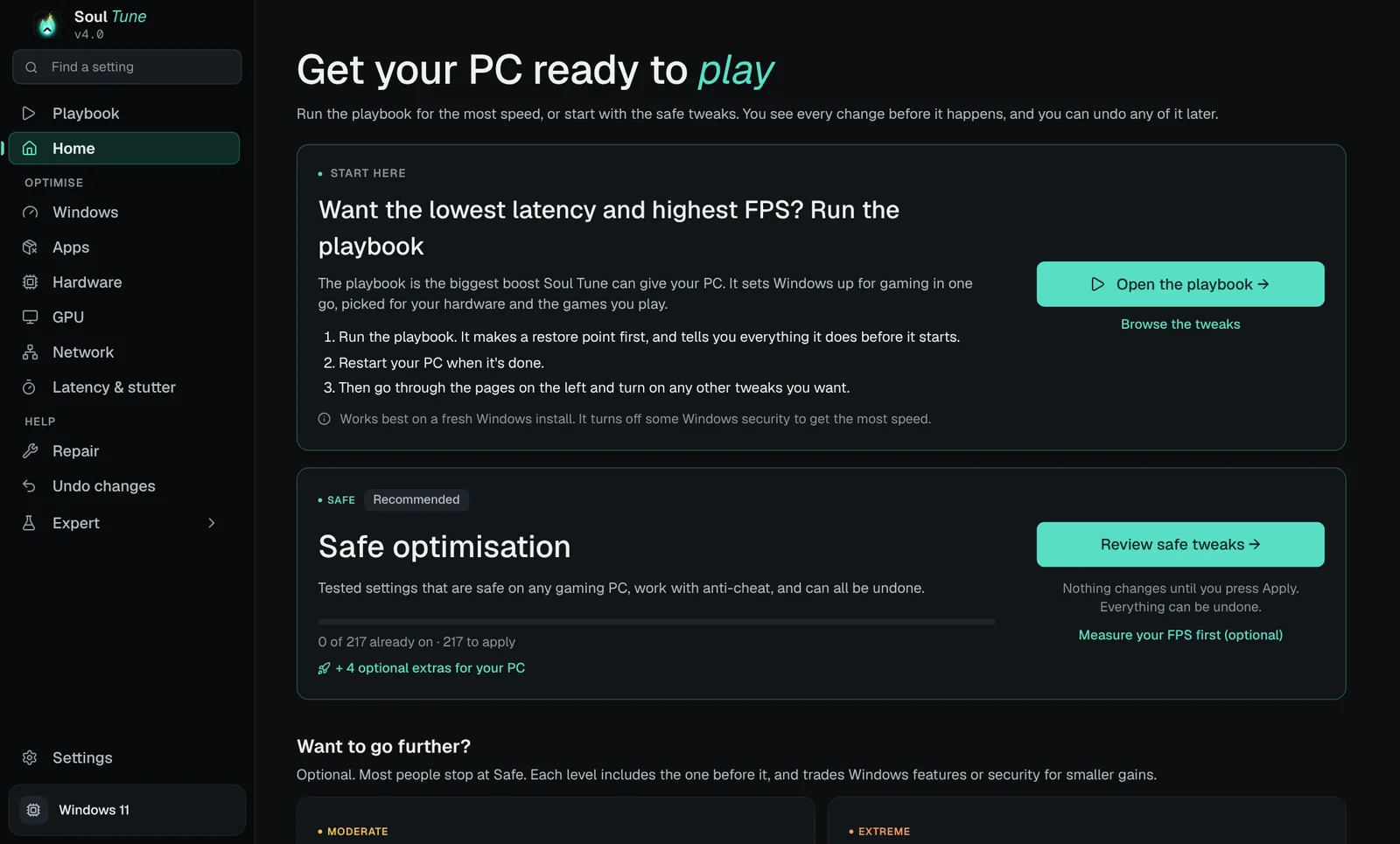
Soul Tune's Home page: a Start here card that opens the playbook, and the Safe optimisation card with Review safe tweaks.
  • 1,200+tweaks, each rated for real FPS impact
  • 1 clickSafe, Moderate or Extreme boost
  • 100%of changes can be undone
  • Anti-cheataware: Vanguard, FACEIT, EAC
Results

Where the extra frames come from

These are the biggest changes Soul Tune makes, and the average FPS gain independent reviewers measured for each one. Your gain depends on your PC and your games. We only quote numbers someone else measured.

Average FPS gain, measured

range across the games and hardware tested
PremiumGraphics card overclockFound by stress-testing your own card. RTX 5070 and 5070 Ti, stock vs overclocked.
+8–13%
PremiumTighter memory timingsSet in the Memory timings editor. Ryzen 9700X and 9800X3D, EXPO vs tighter timings.
+1–15%
FreeNVIDIA App game filters offOn PCs where the filters were on. Most games 3–7%.
+3–16%
FreeLaptop screen on the graphics cardSoul Tune spots a laptop running games through its built-in graphics. Over 30% in Rainbow Six Siege.
about +9%
PremiumMemory Integrity offA security trade, picked by hand. Up to 8% on older Ryzen, smaller on new CPUs. Kept on for Valorant and FACEIT.
+0.5–8%

Each bar is one change tested on its own. Gains don't simply add up, and a PC that is already tuned gains less. Sources are listed next to the chart.

See it on your PC

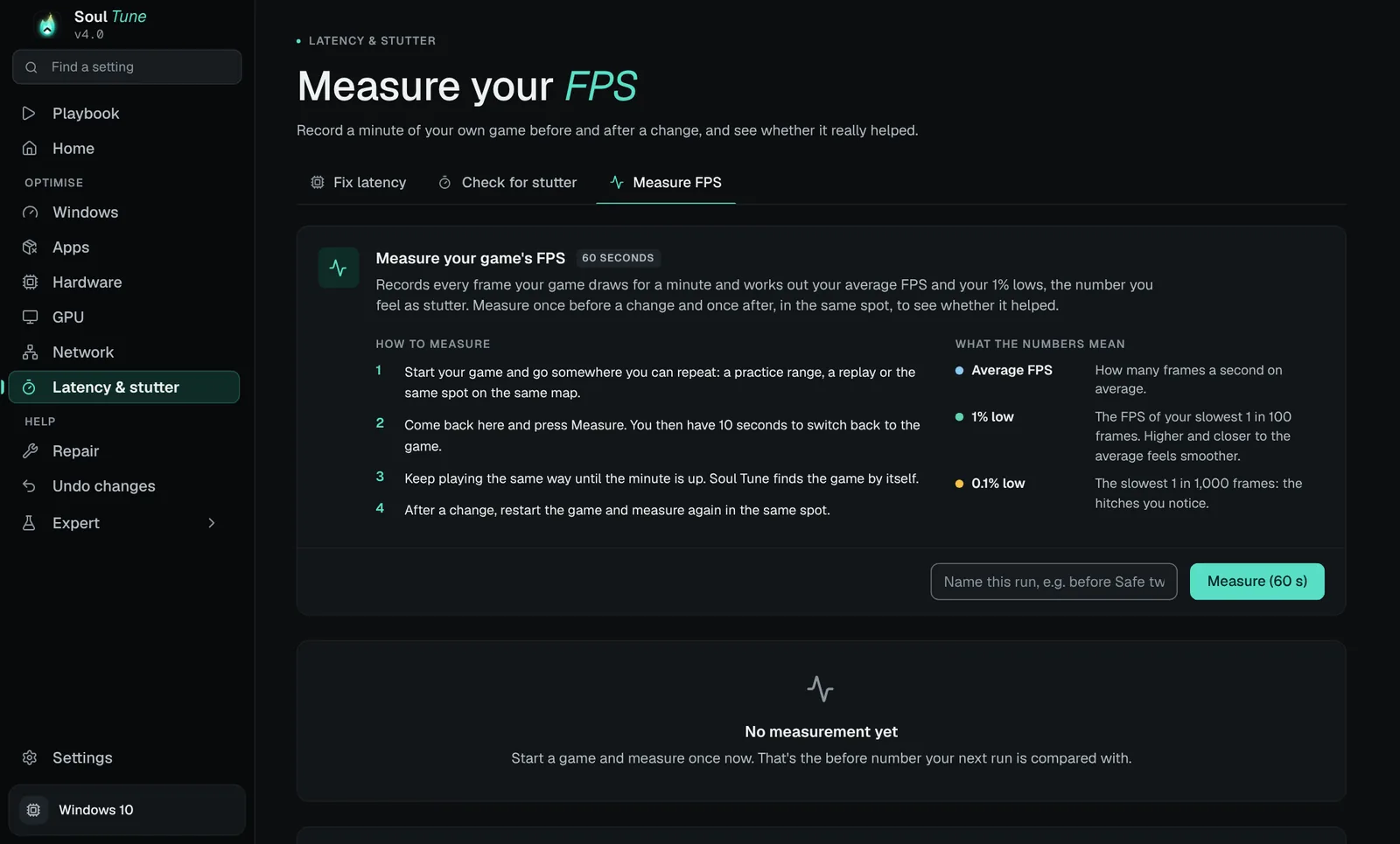
Measure your own FPS, before and after

Soul Tune records a minute of your game and works out your average FPS and 1% lows, then tells you whether a change really helped or was within the noise.

Soul Tune's Measure FPS tab: steps to measure a game, and what average FPS, 1% low and 0.1% low mean.
  1. GPU overclock: TechPowerUp (+13%, +10% on a Palit 5070), The FPS Review RTX 5070 (+9–12%) and RTX 5070 Ti (+8–10%).
  2. Memory timings: TechSpot.
  3. NVIDIA App filters: TechSpot, Tom's Hardware.
  4. Laptop graphics mode: ASUS ROG.
  5. Memory Integrity: ComputerBase, XDA test via TechFuel.
What it does

Everything a tweaker does, in one app

Soul Tune reads your processor, graphics card, memory, drives and network first, then only offers what fits. Nothing changes until you press Apply.

The playbook

The biggest boost in one run. It strips Windows down for gaming, picked for your hardware and your games, makes a restore point first and lists everything before it starts.

One-click boosts

Safe, Moderate and Extreme. Each one shows the full list of changes first. Safe is free and keeps every anti-cheat happy.

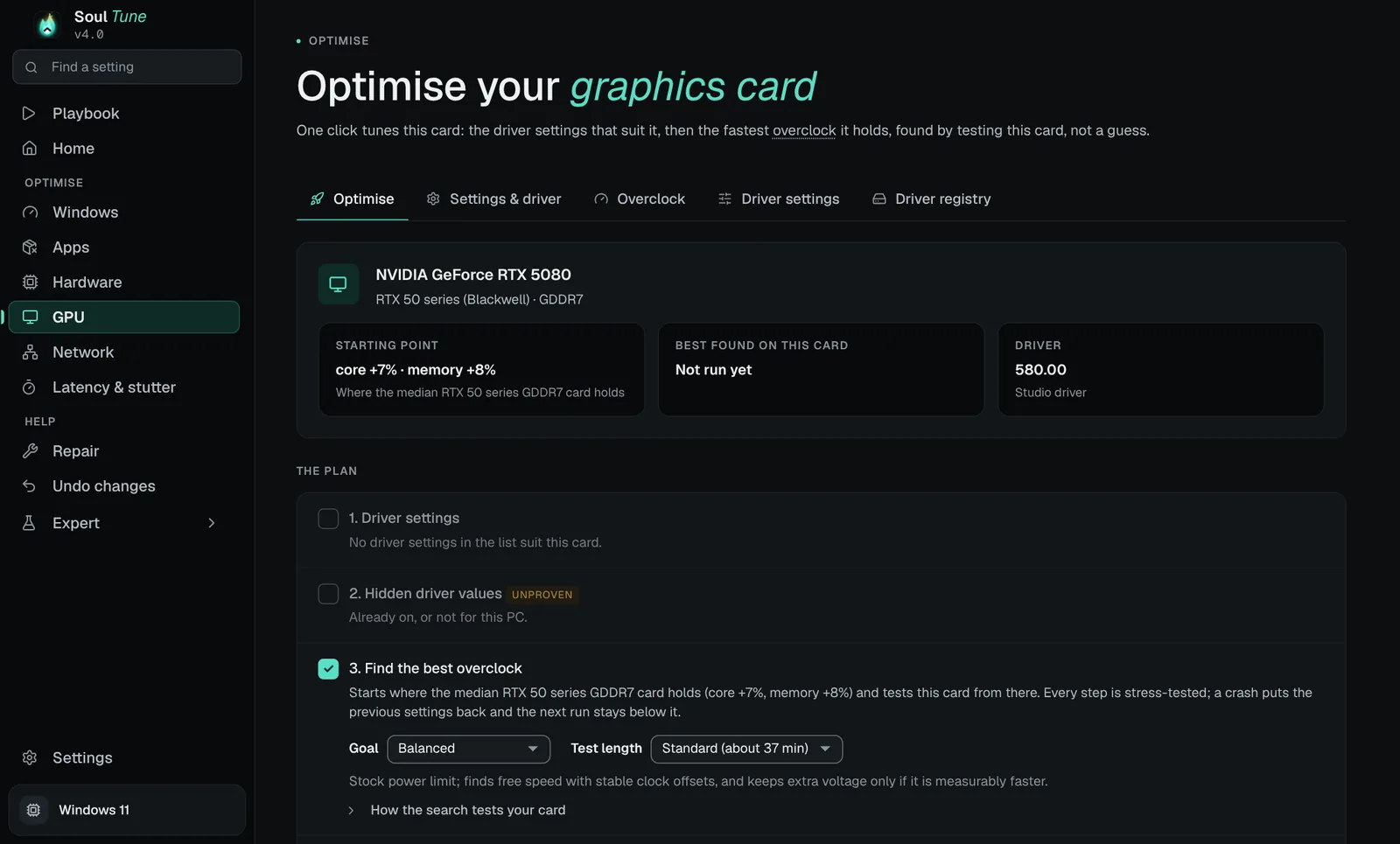
Graphics card auto overclock

Tests your own card step by step and keeps the fastest overclock it holds. Plus NVIDIA's best driver settings and a stripped driver install.

Soul Panel

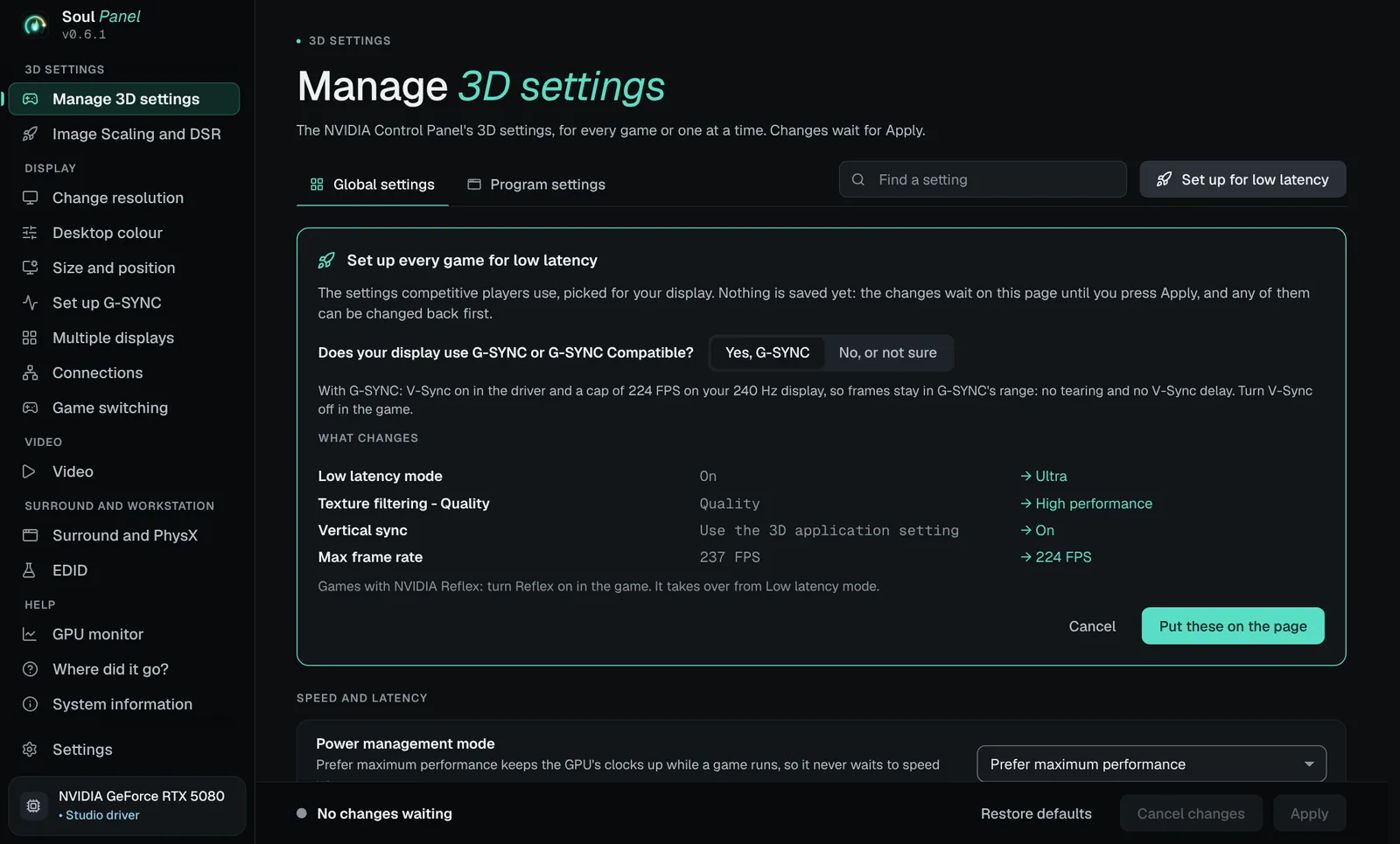
A fast replacement for the NVIDIA Control Panel. Every 3D setting, one-click setup for low latency, a live GPU monitor and settings that switch per game.

Memory and BIOS

Edit your memory timings and check them with a stress test. The BIOS optimiser sets the hidden BIOS settings for your exact board, with a backup first.

Lower ping under load

Measures bufferbloat, tests one network setting at a time and keeps only what lowers your ping. Gives your games' traffic priority on routers that read it.

Latency and stutter

Timer resolution, interrupt tuning and a stutter check, with the FPS tab to prove what helped.

Find any setting

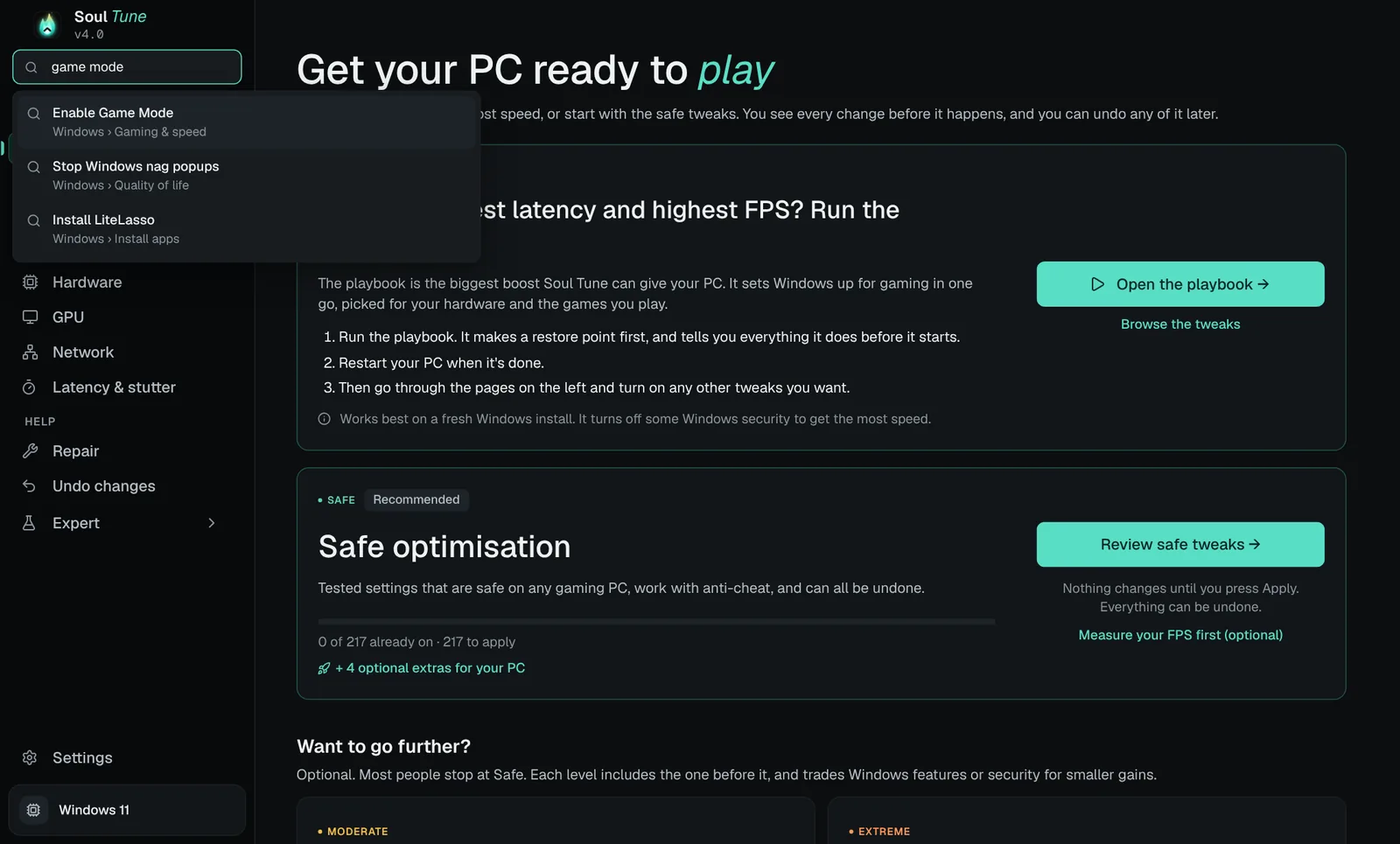
Type what you want in the sidebar, like "game mode" or "mouse", and go straight to it. Every tweak has a plain-English name.

Undo anything

A restore point before big changes, the old value of every setting saved, and Undo changes for one tweak, a session or all of them.

Look inside

This is the app today

Real screens from the current version. No mock-ups.

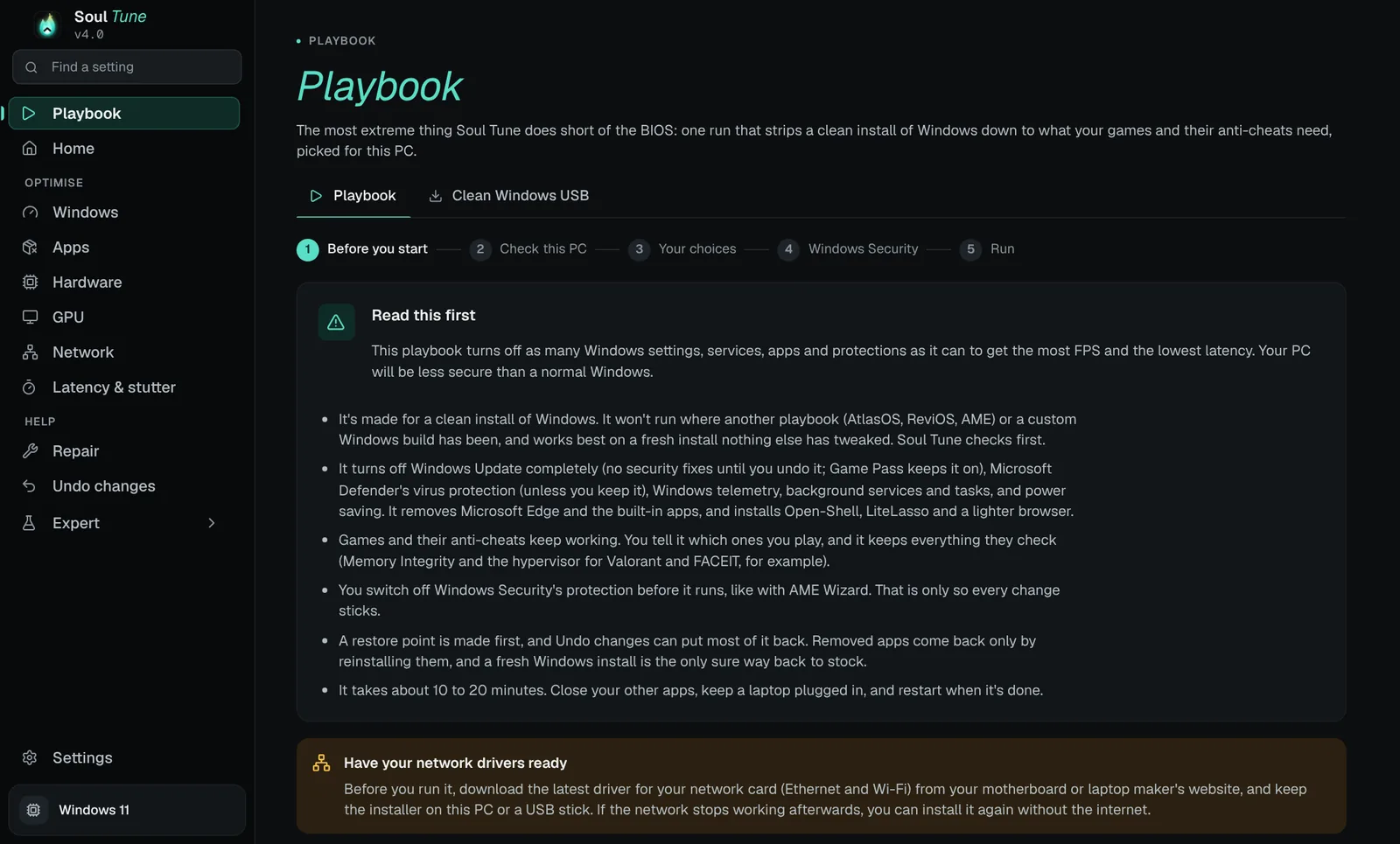
Soul Tune's Playbook page: five steps, with a Read this first note, a restore point and the changes picked for this PC.
Playbook. First in the sidebar. Made for a clean Windows install: five steps, a restore point first, and a list of everything it will change.
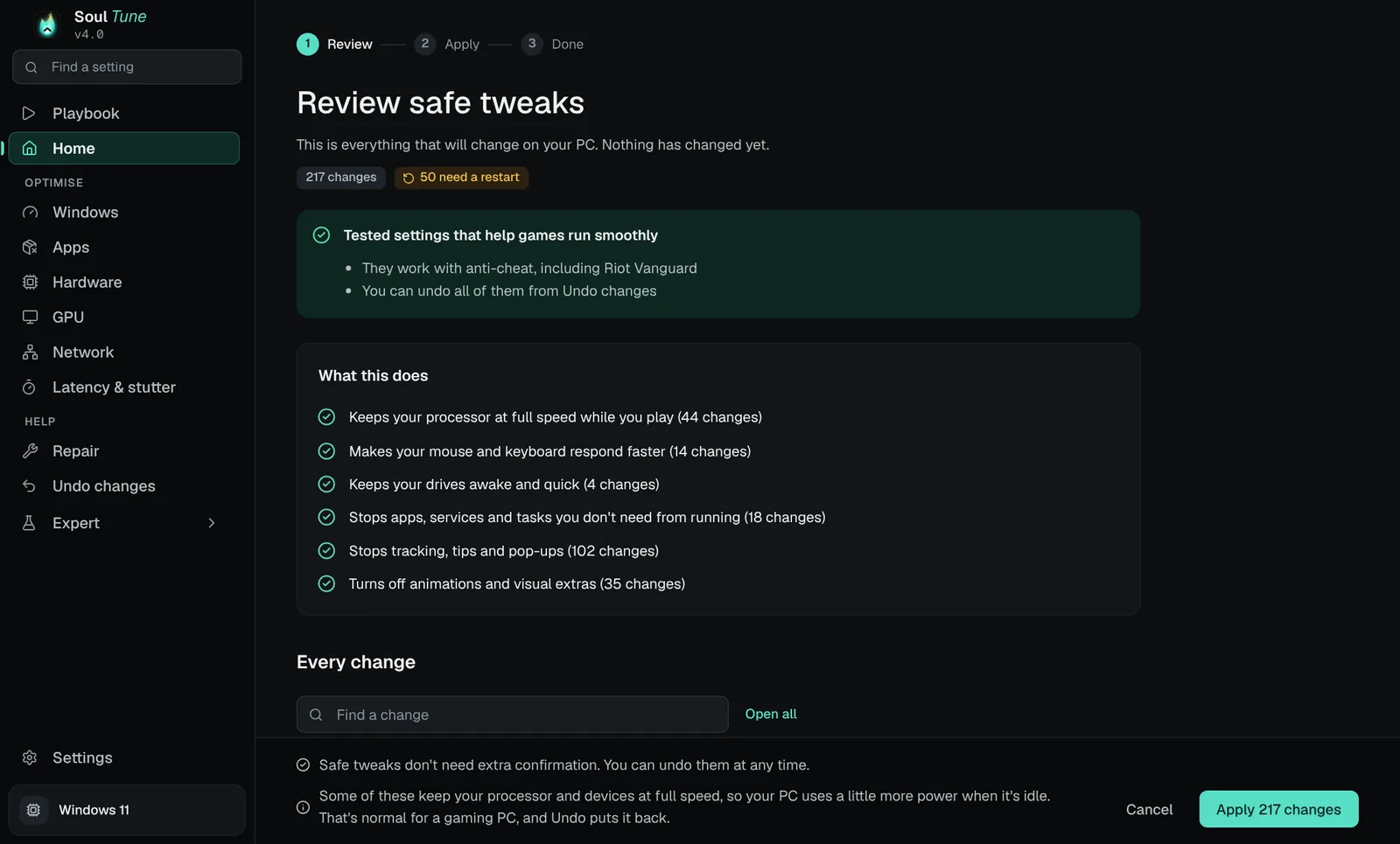
Review safe tweaks: 217 changes grouped into what they do, with Apply 217 changes and Cancel.
The safe path. See every change in plain words before you press Apply.
The sidebar's Find a setting search showing Enable Game Mode for the search game mode.
Find a setting. Search every page from the sidebar.
Soul Tune's GPU page: Optimise your graphics card, with the starting point for an RTX 5080 and the plan to find the best overclock.
GPU. Finds the best overclock by testing your card, not a guess.
Soul Panel's Manage 3D settings with Set up every game for low latency: Low latency mode Ultra, V-Sync on and a 224 FPS cap for a 240 Hz G-SYNC display.
Soul Panel. The NVIDIA Control Panel, rebuilt to open fast. One click sets every game up for low latency, picked for your display.
Compare

A tweaker charges per session. Soul Tune keeps tuning.

Remote tweaking sessions are paid one at a time, and a new driver or Windows update can undo the work. Soul Tune re-runs whenever you want.

Three tuning sessions with a tweaker

EXM Tweaks' Expert Tuning sale prices, read on 29 Oct 2026

RAM overclock€59.99
GPU overclock€39.99
Advanced BIOS optimisation€49.99
Once, for one PC€149.97

Their full overclock bundle is €119.99. Prices from exmtweaks.com/en-us/services. A person tunes your PC by hand; Soul Tune does it automatically.

Soul Tune Premium Lifetime

Every Premium feature, every future update

Playbook and memory timingsincluded
GPU auto overclockincluded
BIOS optimiserincluded
Re-run after a driver updateincluded
Once, for one PC$79.99

Or $44.99 a year, or $5.99 a month. Cancel any time.

OptionHow you payLifetime optionUndo every change
Soul TuneFree, $5.99 a month, $44.99 a year or $79.99 onceYesYes, one click
A remote tweakerPer session, €19.99–€119.99 at EXMNo, each session is paid againDepends on the tweaker
Hone PremiumMonthly or yearly, regional priceNoNot stated
Doing it yourselfFree, plus many evenings-Only if you saved every old value
Pricing

Start free. Pay once if you like it.

Monthly, Yearly and Lifetime unlock exactly the same things. Yearly costs the same as seven and a half months.

Free
$0forever

The Safe boost and the tools to fix and undo. A real tool, not a demo.

Download free
  • One-click Safe boost and the Home checks
  • Every Safe tweak, switched one by one
  • Fix a problem cards and Repair Windows
  • Startup apps, ping test and network health
  • Find a setting, Undo changes any time
  • Free updates
Premium Monthly
$5.99a month

Everything in Soul Tune. Cancel any time and keep what it already changed.

Get Monthly
  • Everything in Free, plus:
  • The Soul Tune playbook
  • Moderate and Extreme boosts
  • All 1,200+ tweaks, picked by hand
  • Latency and stutter tuner, FPS measuring
  • Network tuning: bufferbloat, Auto-Tune, game priority
  • GPU auto overclock and NVIDIA profile
  • Memory timings and BIOS optimiser
  • Early-access updates, priority help
Premium YearlySave 37%
$44.99a year

The same as Monthly for the price of seven and a half months.

Get Yearly
  • Everything in Monthly, plus:
  • 37% less than paying monthly
  • One payment a year, cancel any time
Premium Lifetime
$79.99once

Pay once, keep Premium. Less than two years of Yearly.

Get Lifetime
  • Everything in Monthly, plus:
  • Never pay again
  • Every future version
  • Works offline for up to 30 days

One licence, one PC. Premium locks to your PC's hardware the first time you sign in, so a shared login won't work on a second PC. Reinstalling Windows or swapping the graphics card, drives or RAM keeps it. New PC or new motherboard? Press "Move my licence to this PC" yourself, once every 30 days. Prices in US dollars; checkout shows your currency and adds tax where it applies.

FAQ

Questions

Will it get me banned?

Soul Tune doesn't touch games, game files or game memory. It changes Windows settings. Changes that anti-cheat systems like Riot Vanguard or FACEIT reject are held back while that anti-cheat is installed, and anything risky is labelled before you apply it.

Can I undo everything?

Yes. Soul Tune makes a restore point before every apply and saves the old value of every setting it changes. Undo one tweak, a whole boost, or everything. Uninstalling offers to undo everything first.

How much FPS will I gain?

It depends on your PC. An untuned PC with a fresh Windows install gains the most, a PC that's already tuned gains less. The Results section above shows what independent tests measured for each big change. Use the Measure FPS tab before and after to see your own number.

Can I use my licence on two PCs?

No. You sign in to Soul Tune with the account you make here or in the app, and your account locks to the first PC you sign in on, by its hardware ID. Moving to a new PC takes one press in the app, once every 30 days. If your board died and you need it sooner, ask us on Discord.

What happens when my monthly plan ends?

Your PC goes back to Free. Nothing Soul Tune already changed is undone, and Undo always works on every plan.

Does it work on laptops?

Yes. On a laptop it keeps sleep, hibernation and battery behaviour, and only changes the plugged-in power settings.

What do I need?

Windows 10 (1809 or newer) or Windows 11, 64-bit, and administrator rights. The BIOS optimiser supports AMI BIOS boards with AMD Ryzen 7000–9000 (AM5) or Intel 12th–14th gen and Core Ultra 200S.

Get your PC ready to play.

Download free. Upgrade inside the app when you want the rest.